
Bundles
Create curated product sets
Peakify Apps / Shopify offer tools
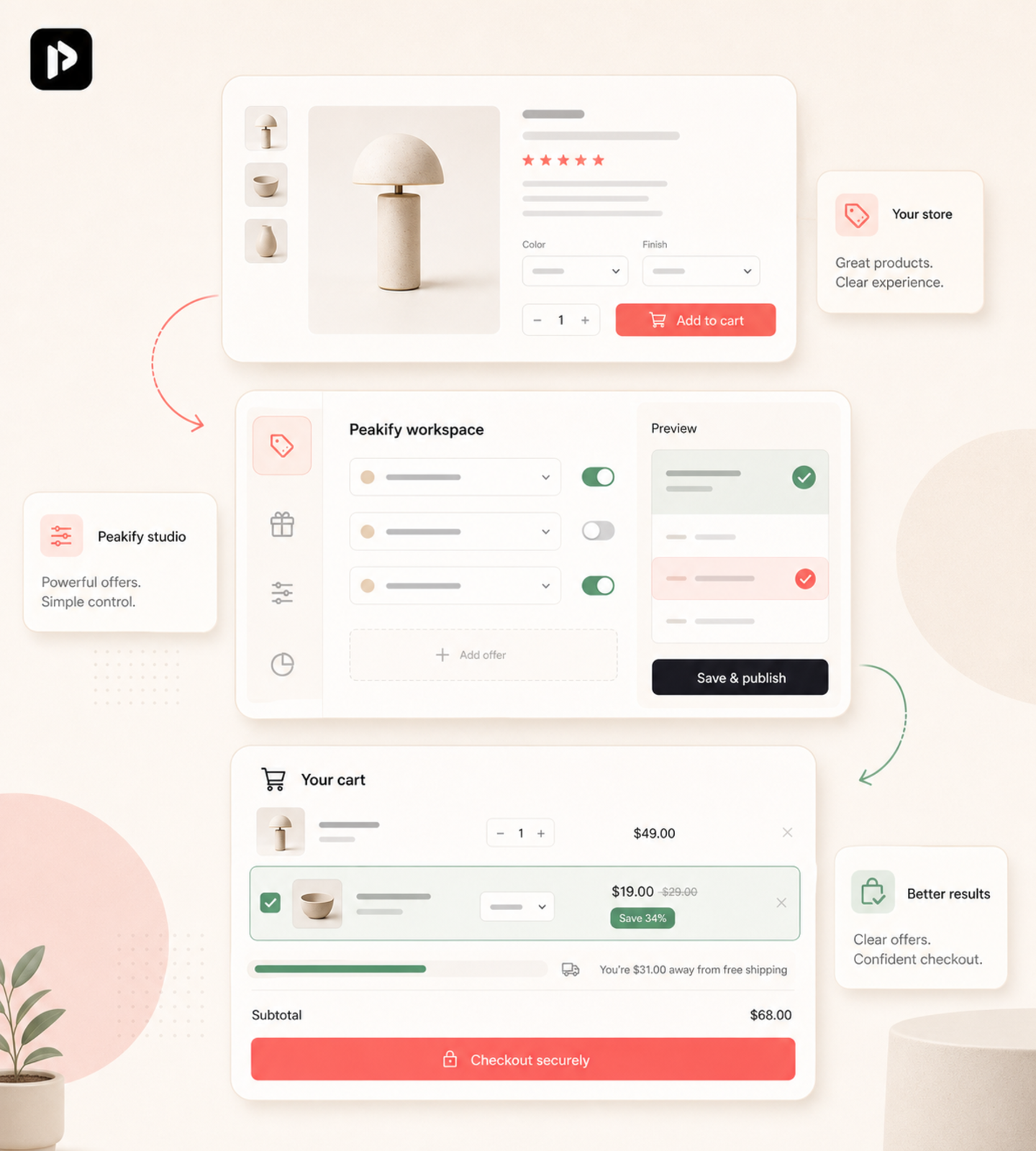
Peakify builds focused Shopify apps for bundles, quantity breaks, gifts, and cart incentives.
No inflated AOV promise. Just cleaner offer setup, product-page previews, and a Shopify-native path to install.
01
Bundles
Create curated product sets
02
Breaks
Reward higher quantities
03
Gifts
Add threshold-based incentives
04
No code
Launch without theme edits
What is live today
Offer coverage
Create curated product sets
Reward higher quantities
Add threshold-based incentives
Launch without theme edits
Active app
Peakify is not a giant suite. The current public product focuses on making common Shopify offers easier to explain, preview, and launch.
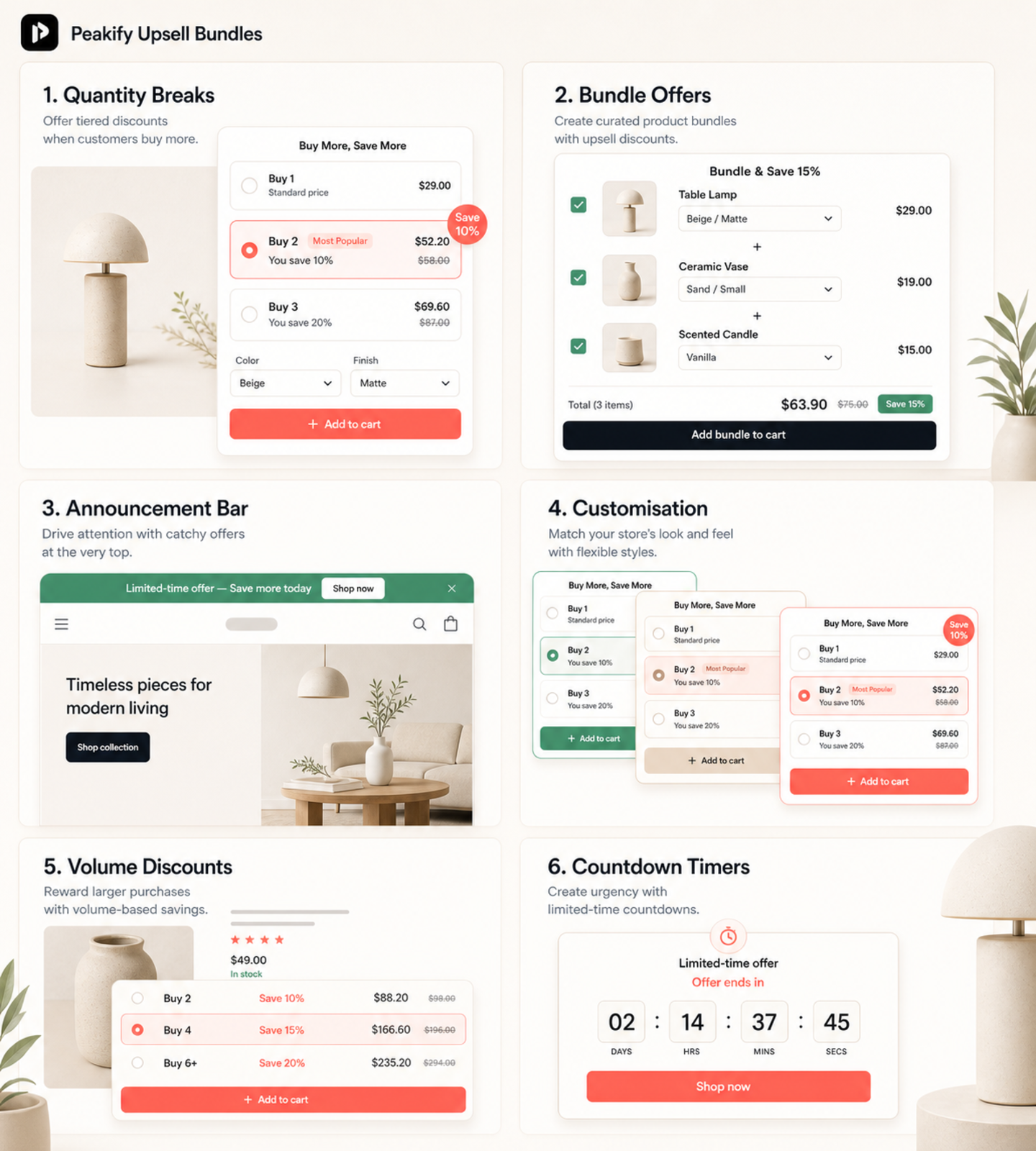
Run product bundles, quantity breaks, mix-and-match sets, and free-gift offers from one focused dashboard. No stacking apps, no Liquid edits, no developer calls.
Install, pick an offer type, and preview the storefront flow. No theme edits or developer handoff required for the standard setup.
Inherits your fonts, colors, and spacing automatically. Tweak anything in the visual editor — no CSS required.
Quantity breaks, bundle kits, free-gift triggers, and cart-aware offers help shoppers understand what to add next.
Before install
Ask about offer fit, theme behavior, billing, or launch sequence. We keep the answer practical and tied to the current app.
Ask if Peakify fits your store, theme, and offer goal before changing anything.
Clarify whether a bundle, quantity break, free gift, or cart prompt is the right move.
Use Shopify-native setup paths and keep launch questions in one place.
Setup support
Until there are verified merchant reviews in the product data, Peakify uses this space for practical setup questions merchants ask before install.
Check whether the offer flow fits your Shopify theme before launch.
Clarify bundles, quantity breaks, and gift rules with a simpler path.
Plan, trial, and billing details stay inside the Shopify App Store flow.
Ask setup questions from the same support path merchants use after install.
Support
Find clear answers about fit, setup, billing, and current app scope.
Yes. Peakify apps are newly published, so this site focuses on product fit, setup clarity, and support instead of ratings or install claims.
Because borrowed proof would be misleading. We will add public proof only when it is verified, permissioned, and useful to merchants evaluating the apps.
Peakify is for Shopify merchants who want clearer offer setup for bundles, quantity breaks, free gifts, and cart-aware incentives without a crowded dashboard.
Peakify is designed around Shopify-native setup patterns. If your theme is older or heavily customized, contact support before launch.
Current plan, trial, and billing details live on the Shopify App Store and Shopify billing screens. Check those before installing.